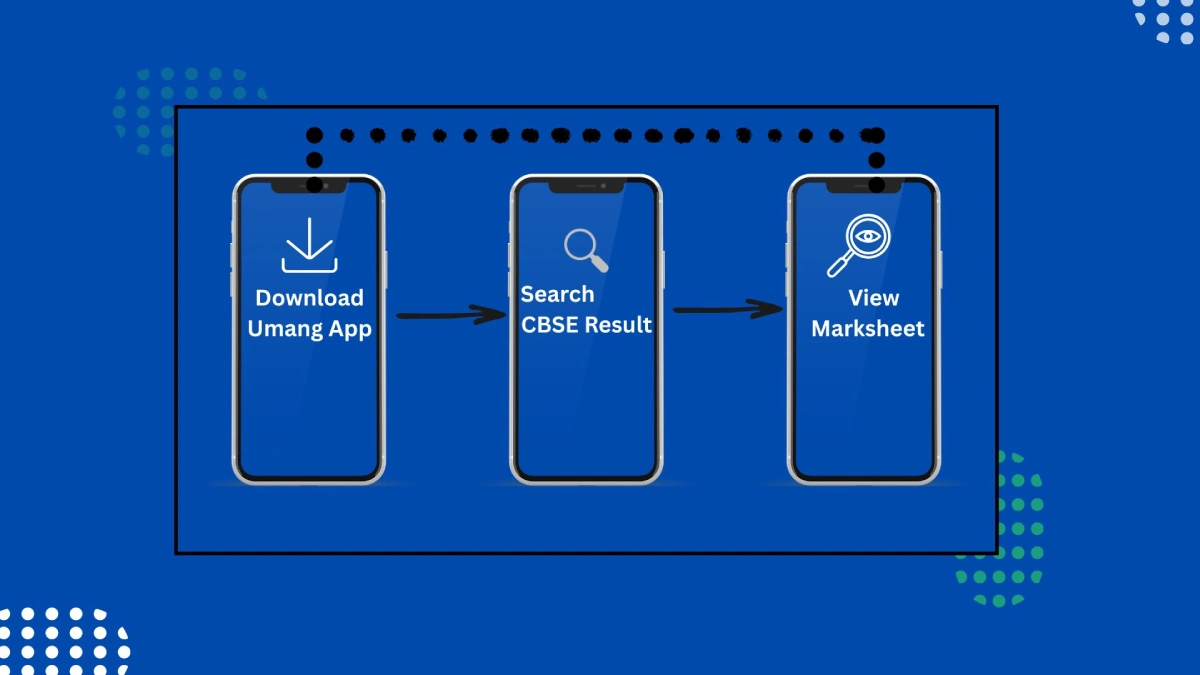
The umang cbse result facility has made it easier than ever for students to check their board exam results online. Instead of visiting multiple websites, students can now access CBSE results directly through the UMANG app, a government-backed digital platform. With secure login, fast access, and digital marksheets, UMANG has become a trusted option for students and parents.
What is UMANG App?
The UMANG CBSE Result is an online facility available on the Government of India’s UMANG app that allows students to check their CBSE Class 10 and Class 12 board exam results easily. By logging in with a registered mobile number, students can view their subject-wise marks, overall result status, and download a digital marksheet. This service provides a secure, fast, and reliable alternative to official CBSE websites, especially during peak result days when traffic is high.
Through the app umang cbse result feature, students can quickly check their scores without technical issues or server overload.
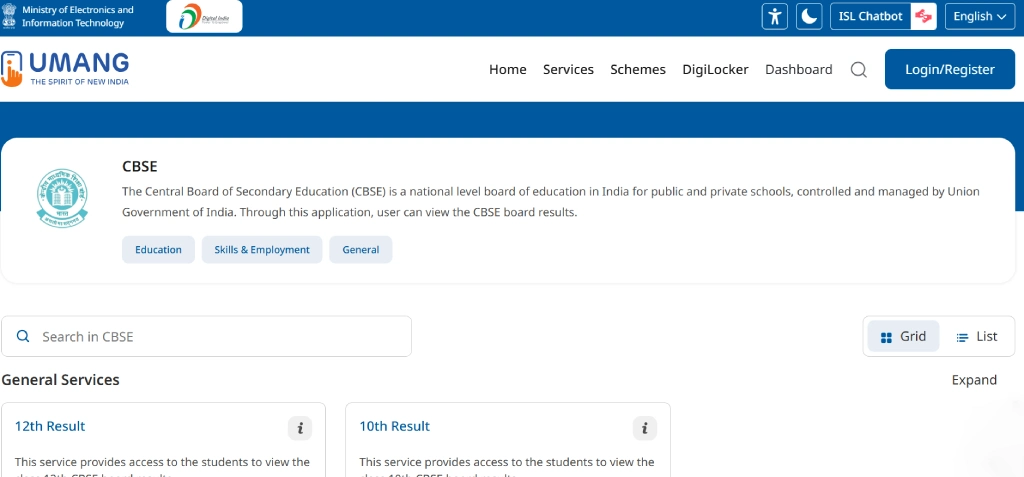
How to Download UMANG App?
Before checking the umang cbse result, students need to install the app.
- Open Google Play Store or Apple App Store
- Search for UMANG app
- Click on Install
- Open the app after installation
The UMANG app is free, secure, and officially supported by the Government of India.
UMANG Login: Sign In to Access CBSE Result
To check results, users must complete umang login.
- Open the UMANG app
- Enter your mobile number
- Verify using OTP
- Create or enter your MPIN
Once umang login is complete, you can access multiple services including umang cbse result.
How to Check UMANG CBSE Result Class 10?
Students appearing for Class 10 exams can easily check their results online.
- Log in using umang login
- Search for “CBSE” services
- Select umang cbse result class 10
- Enter roll number and required details
- Submit and view result
The result appears instantly on the screen.
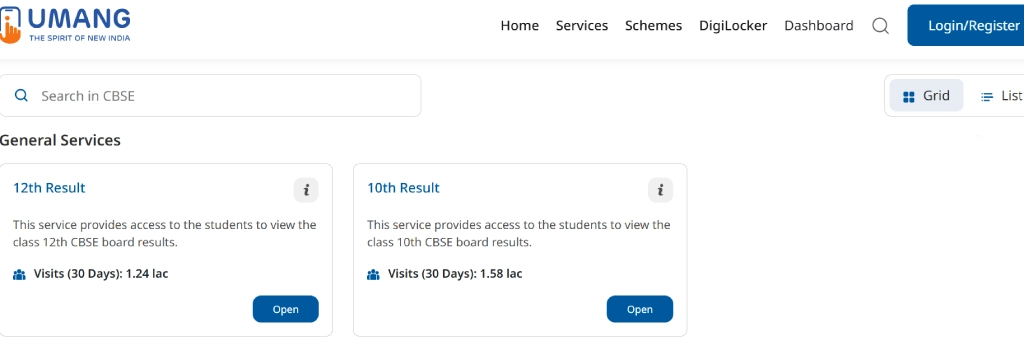
How to Check UMANG CBSE Result Class 12?
For senior secondary students, UMANG CBSE result Class 12 access is equally simple.
- Open UMANG app
- Complete umang login
- Choose CBSE services
- Select UMANG CBSE result Class 12
- Enter roll number and school code
- View result
This method is fast and reliable, especially during peak result days.
How to Download UMANG CBSE Result Marksheet?
One of the biggest advantages of the UMANG platform is access to digital documents.
- After checking the umang cbse result
- Click on “Download Marksheet”
- Save the PDF to your device
The Umang cbse result marksheet is digitally signed and valid for official use until the original marksheet is issued by CBSE.
Benefits of Checking CBSE Result on UMANG App
Using the umang cbse result feature offers several advantages:
- Government-verified platform
- No website crash issues
- Easy marksheet download
- Secure umang login
- Access anytime, anywhere
That is why more students now prefer the UMANG app over traditional result websites.
UMANG App CBSE Result vs Official Website
| Feature | UMANG App | Official CBSE Website |
| Speed | Fast | Sometimes slow |
| Security | High | Medium |
| Marksheet | Downloadable | Limited |
| Login | Mobile-based | Roll number based |
This comparison shows why umang app cbse result is gaining popularity.
Students often ask whether ICSE results are available on UMANG. For ICSE (Class-X) Year 2025, results are primarily released through CISCE portals. However, UMANG continues to expand services, and future integration may include ICSE results as well.
Currently, the umang cbse result service is focused on CBSE Class 10 and Class 12 examinations.
Common Issues While Checking UMANG CBSE Result
Some common problems students may face:
- Incorrect roll number
- Slow internet connection
- OTP delay during umang login
Most issues can be resolved by rechecking details or trying again after some time.
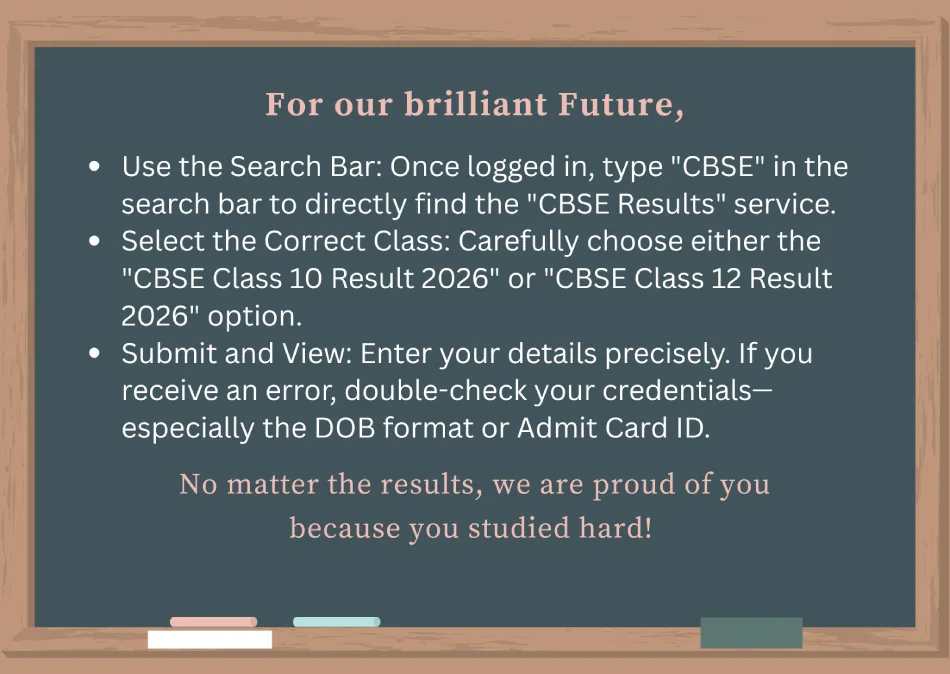
Important Tips for Students
- Keep roll number and school code ready
- Download the Umang cbse result marksheet immediately
- Use official UMANG app only
- Do not share login credentials
Following these tips ensures a smooth experience.
The umang cbse result system has simplified how students check their Class 10 and Class 12 board exam results. With easy umang login, secure access, and instant marksheet downloads, the UMANG app has become a reliable digital solution for studentICSE (Class-X) Year 2026
The ICSE (Class-X) Year 2026 Result
The ICSE (Class-X) Year 2026 results will be released by the CISCE (Council for the Indian School Certificate Examinations) on the official result portal. Students who appeared for the ICSE Class-X board exams in 2026 can follow easy steps to view their results online securely and quickly. Below is the complete step-by-step process.
Step 1: Visit the Official CISCE Result Website
- Open your web browser on your mobile or computer.
- Go to the official result link: results.cisce.org
(Always ensure it is the official CISCE domain to avoid fake sites.)
Step 2: Select the Exam and Year
- On the homepage of the ICSE result portal:
- Choose “ICSE (Class-X) Year 2026” from the dropdown list.
- Make sure you select the correct exam type to avoid errors.
Step 3: Enter Your Unique Identification Details
You will need to enter:
- Your Roll Number (printed on your admit card)
- Your Index Number (also on the admit card)
- Sometimes your Captcha Code (to verify you’re not a bot)
Make sure all details are typed correctly — even one wrong digit can prevent the result from appearing.
Step 4: Click on “Submit / View Result”
After entering the required details:
✔ Click the Submit / View Result button.
✔ Wait a few seconds — the system will fetch your result from the database.
Step 5: View Your ICSE (Class-X) Result 2026
Once the system validates your credentials:
Your result mark sheet will display on the screen.
- Your overall percentage
- Subject-wise marks
- Pass/Fail status
- Grade or division
Step 6: Save and Print Your Result
- Save your result PDF on your phone / computer.
- Print a copy for admission or future academic use.
This helps in quick documentation for:
- +2 admission (Class-XI)
- Scholarship applications
- School records
Over 42 Lakh Students Appeared for CBSE Exams 2025
This year, more than 42 lakh students across India appeared for the CBSE Class 10 and 12 board exams. The CBSE has ensured multiple digital channels for students to easily access their results without delay or technical issues.
While physical mark sheets will be distributed by respective schools, the digital versions from DigiLocker are fully valid and accepted by colleges and institutions.
Whether you are checking umang cbse result class 10, UMANG CBSE result Class 12, or downloading your Umang cbse result marksheet, the UMANG app offers a smooth and stress-free experience. As digital education services grow, platforms like UMANG will continue to play a vital role in student convenience.
FREQUENTLY ASKED QUESTIONs:
How to check CBSE result in umang?
- Download the UMANG App from the Play Store or App Store.
- Register and log in.
- Navigate to the 'Education' section and click on the CBSE tab.
- Enter your credentials and check your result instantly.
Is class 10 compartment result out?
CBSE Class 10 Compartment Result 2025 has been officially released today, August 5th.
Is 27 out of 80 pass or fail in CBSE?
Passing Marks Out of 80 in CBSE Class 10th and 12th. In simple words, the minimum percentage for passing the Central Board of Secondary Education exams for class 10th and 12th is 33%. 33% of 80 = 26.4, rounded up to 27 marks.

